Table of Contents
Reset a child-users passwords
This article explains how to reset passwords for you child users so that they retain access to their bookmarks.The admin user on an account can reset the password for a child user. In order to do this follow these steps: Log into your admin account at https://account.mirageid.comClick on the "Users" tab, and then select the user you want to reset from the list:Then click on the reset password button for that user:You will be asked to confirm, and then be prompted for *your* admin login:Enter your admin password, and the user will receive a password reset email. Note that that email will contain a temporary 1-time user password, and they will need to reset their password again after they log in.
Table of Contents
The admin user on an account can reset the password for a child user. In order to do this follow these steps:
- Log into your admin account at https://account.mirageid.com
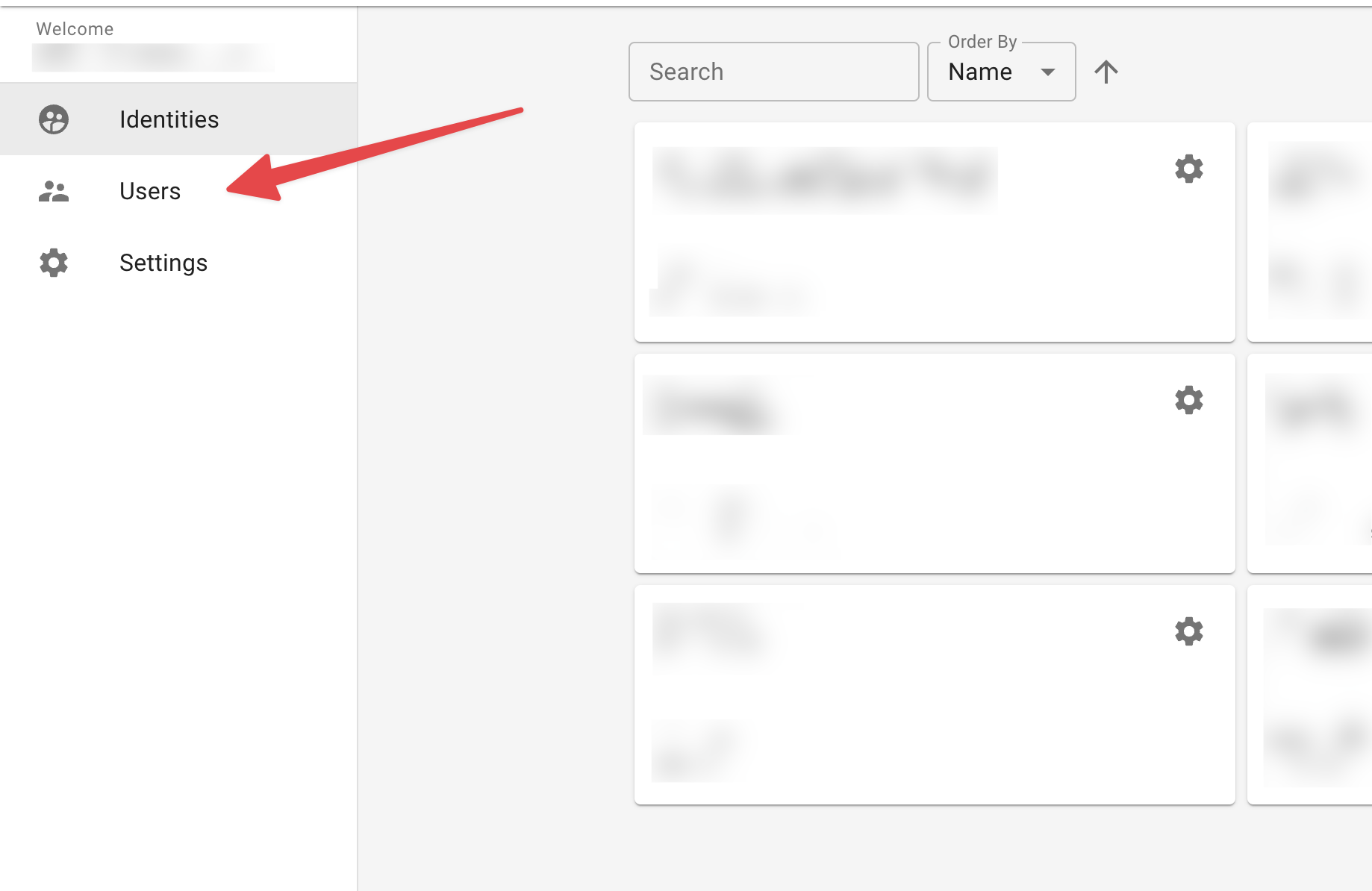
- Click on the "Users" tab, and then select the user you want to reset from the list:
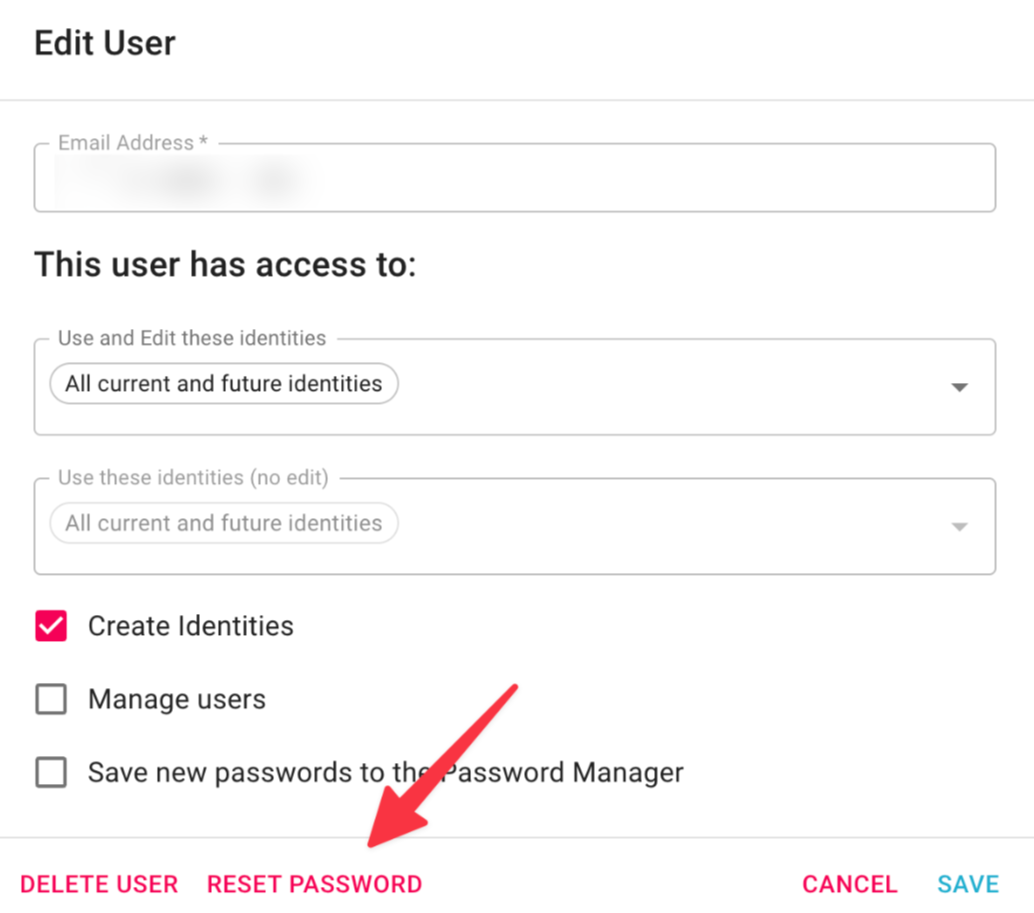
- Then click on the reset password button for that user:
- You will be asked to confirm, and then be prompted for *your* admin login:
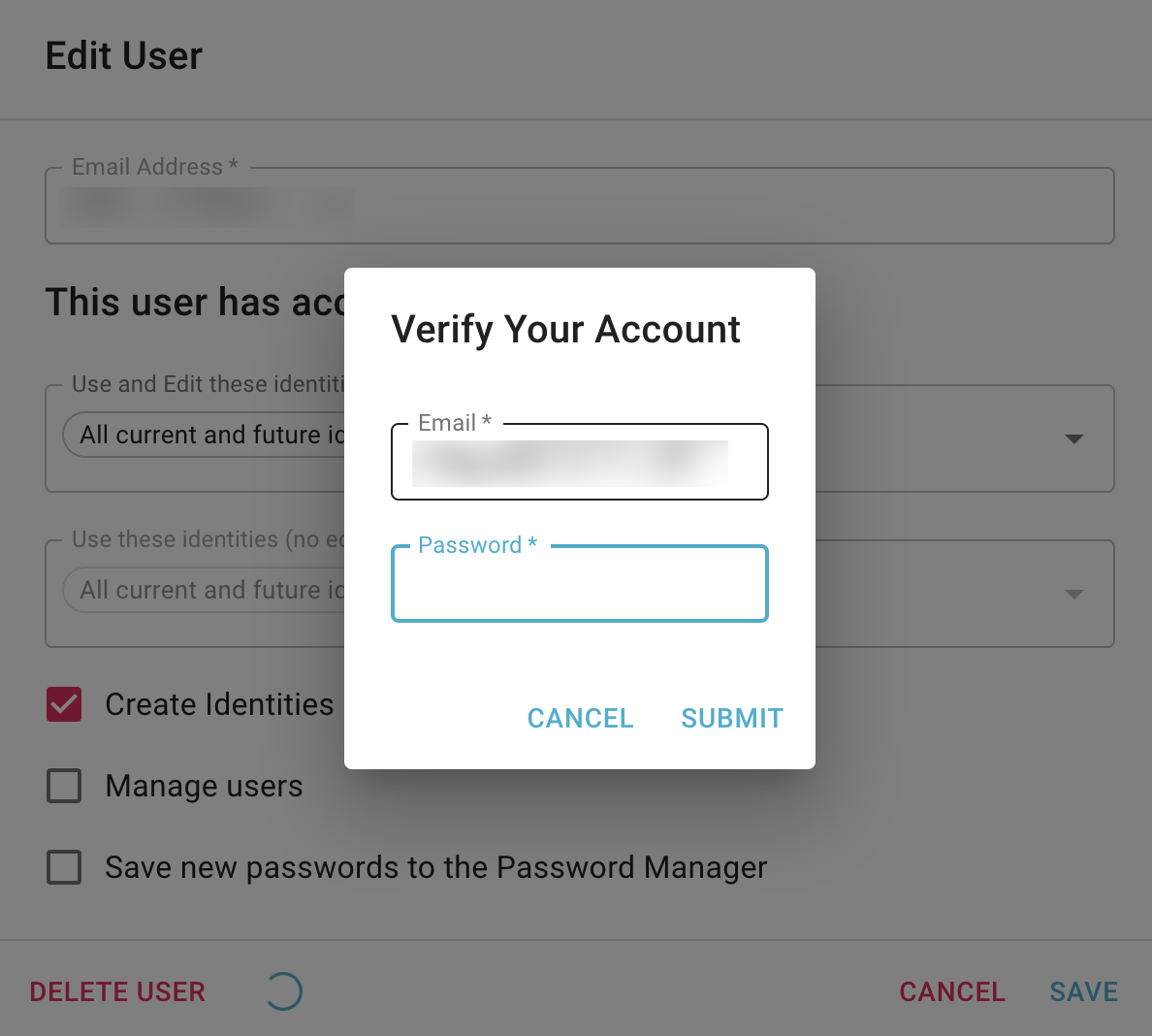
- Enter your admin password, and the user will receive a password reset email. Note that that email will contain a temporary 1-time use password, and they will need to reset their password again after they log in.
How did we do?
Using the MirageID Browser with the Meshimer Web Filter