Table of Contents
Fully Uninstall MirageID
MirageID Identities store a variety of information on your local computer for a variety of purposes, some of this data can be left even after a regular uninstall. To remove all data stored by an Identity from your local computer, follow these steps. Go to the search bar at the bottom of your desktop and type %LOCALAPPDATA% (exactly as formatting including capitalization) and hit enterNavigate to the Programs/mirage-id FolderRun the Uninstall Mirage ID ProgramThen go back up to the Programs folder and remove the mirage-id folder if it still existsGo back to the search bar at the bottom of the page and type %APPDATA% (again, exactly as formatted including capitalization) and hit enterRemove the mirage-id folderYou are completely uninstalled Navigate to the Applications folder on your computer.Find the Mirage ID.app application, and move it to the trashThen:Open any Finder window and type CMD+Shift+G. You will see a navigation window openPaste this string into the navigation window: ~/Library/Application SupportDelete the folder mirage-idYou are completely uninstalled
Table of Contents
MirageID Identities store a variety of information on your local computer for a variety of purposes, some of this data can be left even after a regular uninstall. To remove all data stored by an Identity from your local computer, follow these steps.
If you are using Windows
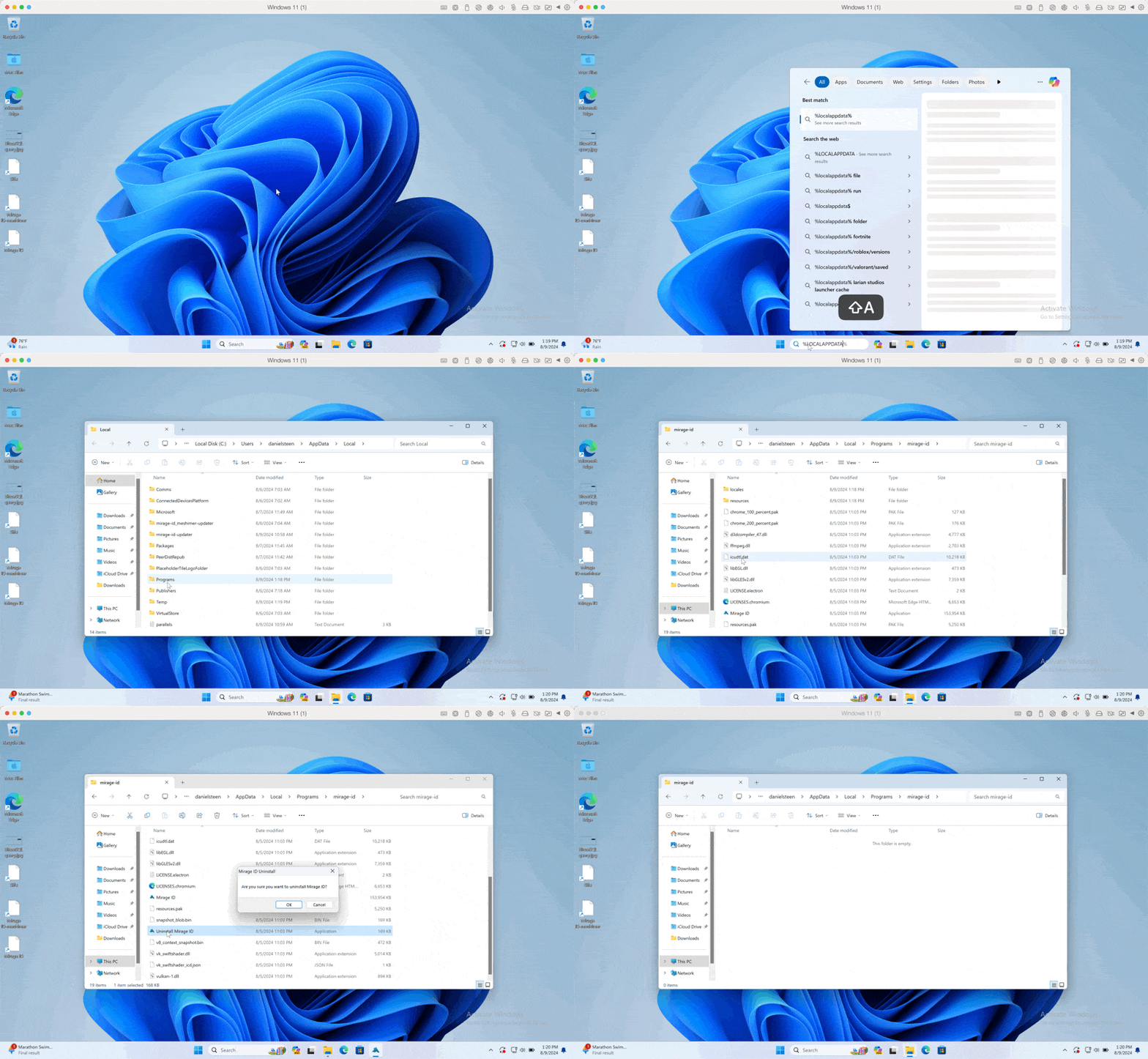
- Go to the search bar at the bottom of your desktop and type
%LOCALAPPDATA%(exactly as formatting including capitalization) and hit enter - Navigate to the
Programs/mirage-idFolder - Run the
Uninstall Mirage IDProgram - Then go back up to the
Programsfolder and remove themirage-idfolder if it still exists - Go back to the search bar at the bottom of the page and type %APPDATA% (again, exactly as formatted including capitalization) and hit enter
- Remove the
mirage-idfolder - You are completely uninstalled
If you are using MacOS
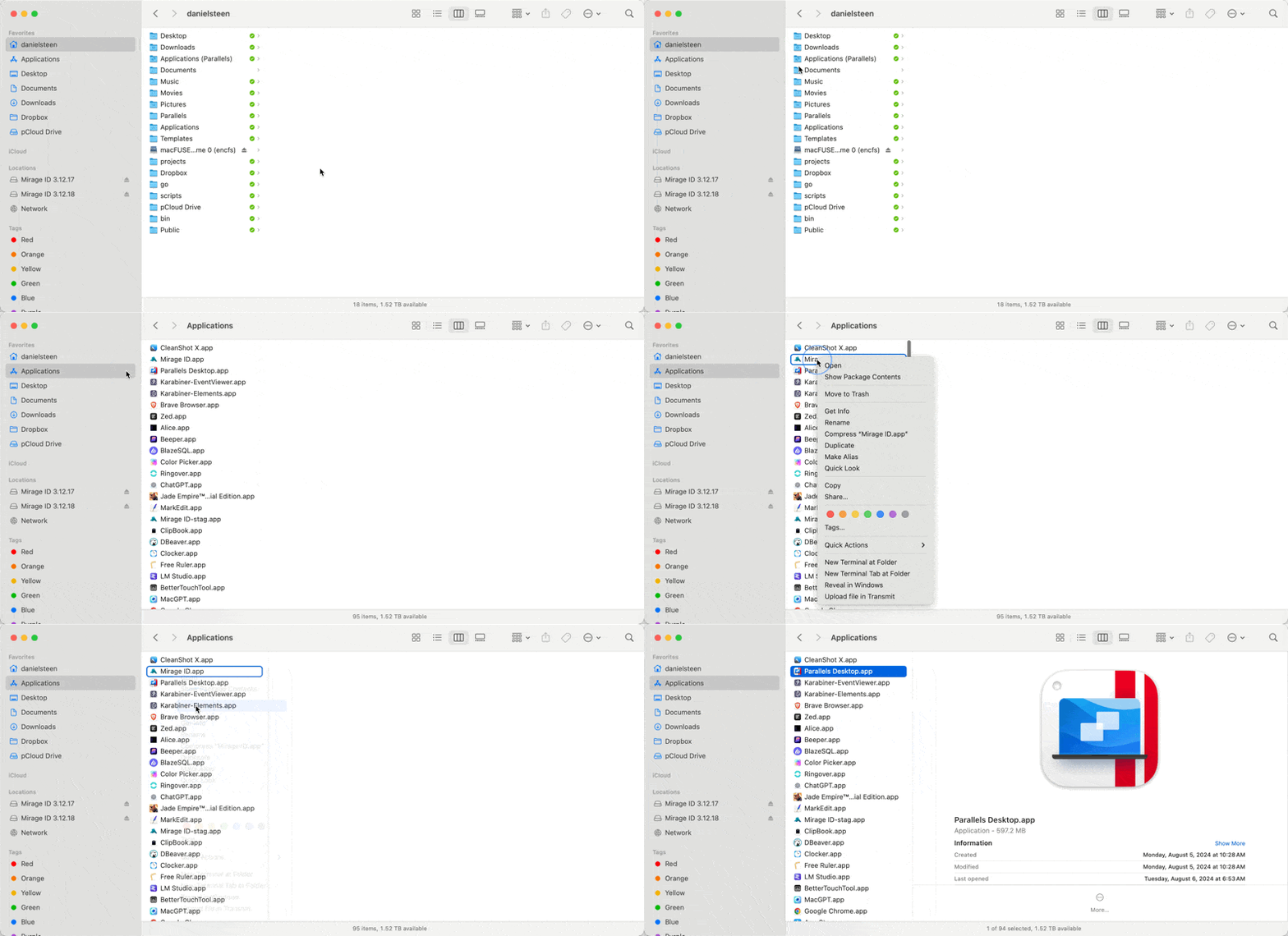
- Navigate to the
Applicationsfolder on your computer. - Find the
Mirage ID.appapplication, and move it to the trash - Then:
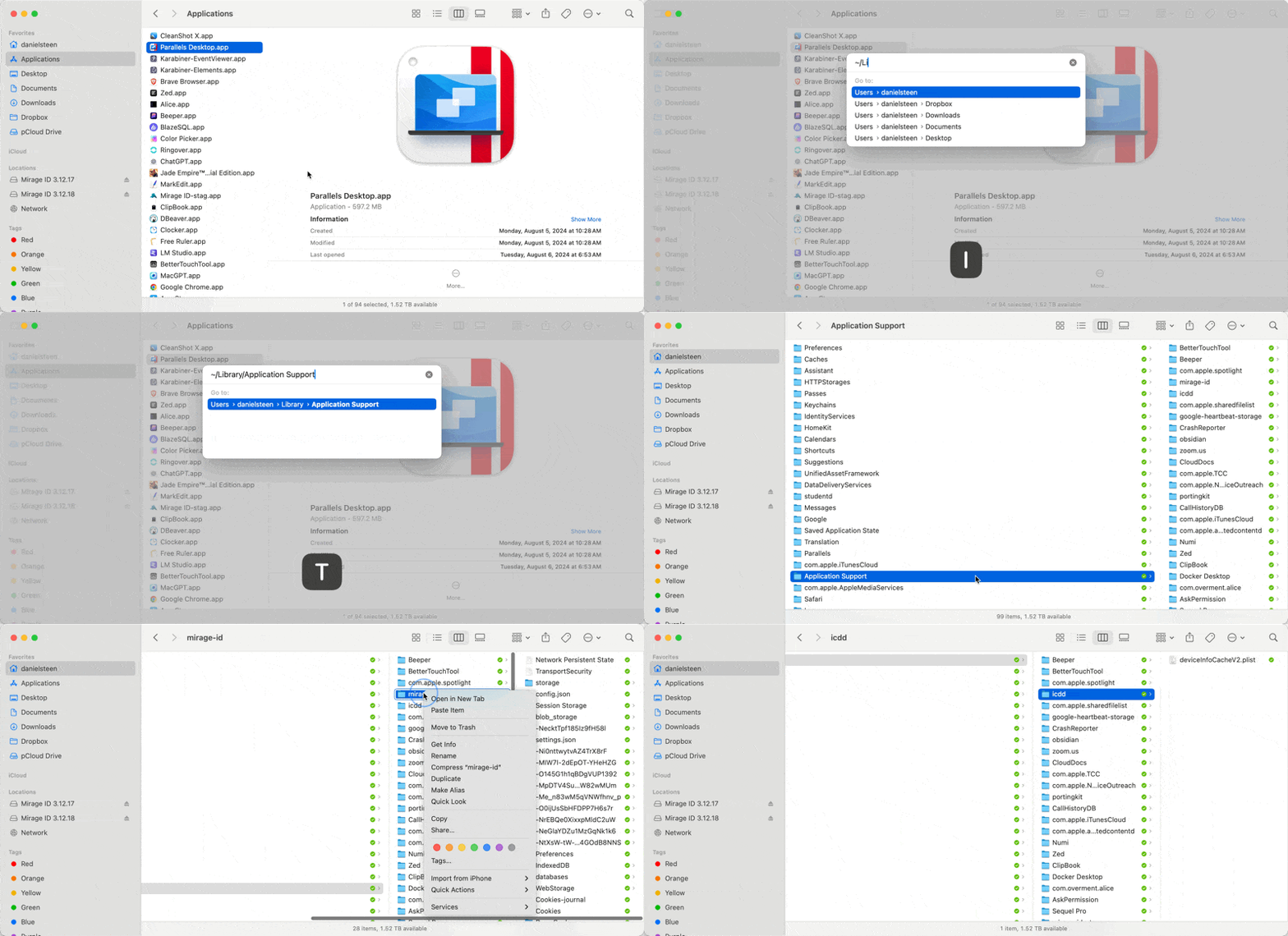
- Open any Finder window and type
CMD+Shift+G. You will see a navigation window open - Paste this string into the navigation window:
~/Library/Application Support - Delete the folder
mirage-id - You are completely uninstalled
How did we do?
Password Manager: Two Factor Authentication (2FA)
3rd Party Filters